
Multi-store tracking: maximize savings with smart price comparisons
TL;DR:
- Manually comparing prices across multiple websites is inefficient and often leads to overpaying. Multi-store tracking automates price monitoring, alerts you to discounts, and saves time, giving savvy shoppers a competitive edge. While highly effective, it requires careful verification of total costs and awareness of its limitations against dynamic pricing strategies.
Manually visiting ten different websites to find the lowest price on a pair of headphones is not a strategy. It’s a chore, and it’s costing you money every time you give up halfway through and just buy from the first place you checked. Multi-store tracking is the automated monitoring and comparison of product prices across multiple online retailers, and it changes the game completely. In this article, you’ll learn exactly what it is, how it works under the hood, why it matters for your wallet, and how to avoid the traps that catch even experienced shoppers off guard.
Table of Contents
- What is multi-store tracking?
- How does multi-store tracking work?
- Why multi-store tracking is a smart shopper’s secret weapon
- Expert tips, pitfalls, and what most shoppers miss
- The uncomfortable truth about getting the best price online
- Ready to start tracking smarter? Try PriceLix
- Frequently asked questions
Key Takeaways
| Point | Details |
|---|---|
| Automation saves time | Multi-store tracking tools compare prices for you instantly so you don’t have to check every store yourself. |
| Get best deals fast | Trackers alert you when prices drop or better deals surface, ensuring maximum savings with minimal effort. |
| Watch for pitfalls | Regional differences, site changes, and hidden fees can affect accuracy, so always verify final price details. |
| Free and paid options | Start with free tracking tools for small lists and upgrade to advanced solutions if you want more features or scale. |
What is multi-store tracking?
With the basics introduced, let’s clarify exactly what multi-store tracking means for your shopping experience.
At its core, multi-store tracking means a tool is watching the price of a specific product across several online stores at the same time, automatically, and notifying you when something changes. You don’t open tabs. You don’t write prices down on sticky notes. The tool does all of that, quietly, in the background.
Think of it like having a personal assistant who checks Amazon, Walmart, eBay, Target, and dozens of other stores every single day and sends you a text when the price on that air fryer you want finally drops below $80. That’s the promise. And modern tools actually deliver on it.
“Multi-store tracking is the automated monitoring and comparison of product prices across multiple online retailers or stores to identify the best deals, price drops, and competitive pricing opportunities for shoppers.” — Step-by-step guide to multi-store tracking
Here’s what makes it so powerful compared to the old way of doing things:
- You set it once. Enter the product, set a target price or alert threshold, and walk away.
- It watches 24/7. Prices change at odd hours. Flash sales happen at 2 a.m. Trackers don’t sleep.
- It compares instantly. Instead of five browser tabs, you get one clear view of who’s charging what.
- It stores price history. You can see whether today’s “sale” price is actually a discount or just normal pricing with a red sticker on it.
If you want to see which tools make the most of this technology, checking out the best product tracking tools available today is a solid starting point.
Multi-store tracking at a glance
| Feature | Manual comparison | Multi-store tracking |
|---|---|---|
| Time required | 30+ minutes per product | Under 2 minutes to set up |
| Stores checked | 3 to 5 on average | Dozens to hundreds |
| Price history visibility | None | Full chart available |
| Alert on price drop | Manual revisit required | Automatic notification |
| Accuracy | Prone to human error | Consistent and automated |
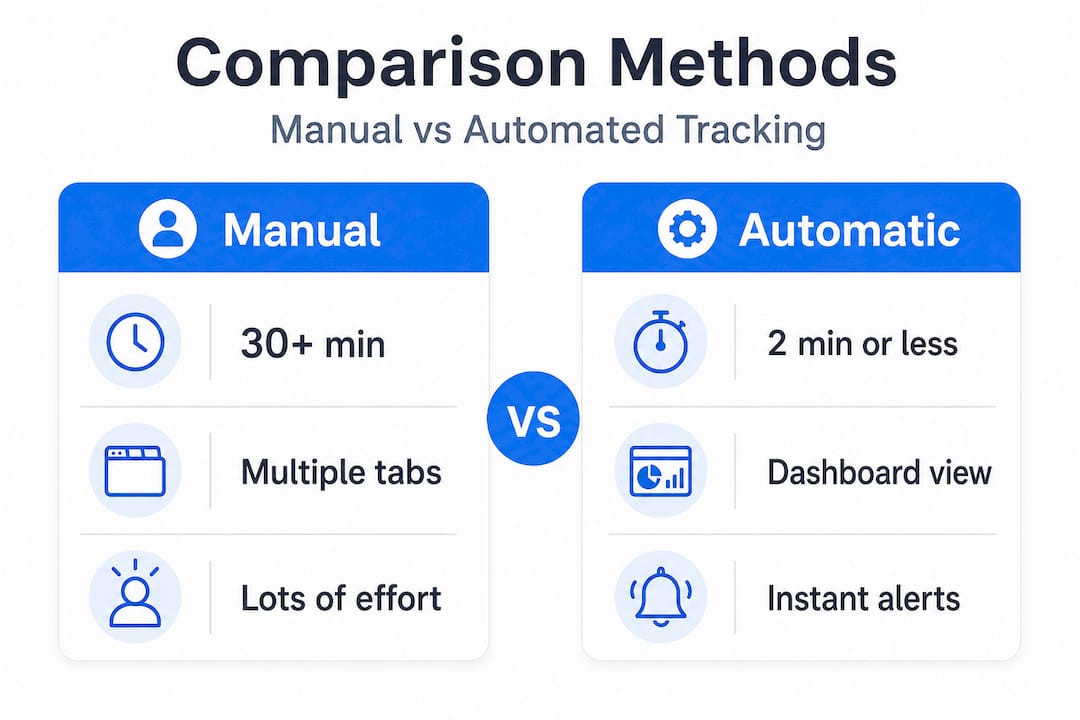
The difference is not subtle. Once you use a proper tracking tool, going back to manual comparison feels like giving up a dishwasher and washing dishes by hand.
How does multi-store tracking work?
Now that you know what it is, let’s look under the hood at how multi-store tracking actually operates.
The technology behind these tools is more sophisticated than most shoppers realize. It’s not just someone refreshing web pages all day. Modern price tracking relies on a layered combination of web scraping, AI-powered product matching, and real-time data pipelines.
Methodologies include web scraping with Python-based tools, AI-powered detection, product matching across sites, real-time dashboards, and dynamic alerts. That means a tracker can identify that “Sony WH-1000XM5 Headphones” on Amazon is the same product as “Sony WH1000XM5 Black” on Walmart, even though the listing titles are different. That’s AI product matching doing its job.
Here’s a simplified look at what happens after you enter a product into a tracking tool:
- The tool identifies the product. It records the product name, SKU, or URL and creates a profile for it.
- It crawls retailer pages. Using web scraping, the tool pulls the current price from each store it monitors.
- It normalizes the data. Prices get standardized so a $79.99 listing and a $80.00 listing from different stores can be compared cleanly.
- It logs the price. Each data point gets recorded to build a price history chart over time.
- It checks your alert rules. If the price hits your target threshold, you get a notification via email or app.
- You make the call. With all that data in hand, buying becomes a confident, informed decision.
Understanding what a price dashboard is helps you get more out of these tools. A good dashboard shows you everything at once: current price, historical lows, which stores have inventory, and how today’s price compares to last week’s or last month’s.
How price drop alerts work is equally worth understanding. Alerts aren’t just “the price changed.” Smart alerts can notify you when a price is the cheapest it’s been in 90 days, when the spread between stores exceeds a certain dollar amount, or when a tracked item goes back in stock after being sold out.
Comparison: basic vs. advanced tracking tools
| Capability | Basic trackers | Advanced trackers |
|---|---|---|
| Number of stores | 5 to 20 | 100 to 1,000+ |
| Alert types | Price drop only | Custom thresholds, price spread, stock alerts |
| AI product matching | Limited | Robust cross-site matching |
| Price history depth | 30 days | 12+ months |
| Dashboard | Simple list | Visual charts with trend lines |
Pro Tip: Choose tracking tools based on their alert reliability, not just how slick the dashboard looks. A beautiful interface that sends alerts an hour late is worth a lot less than a plain one that pings you the moment a deal goes live.
Why multi-store tracking is a smart shopper’s secret weapon
It’s clear how the tech works, but why does it matter for real-world savings? Here’s why multi-store tracking gives savvy shoppers the edge.
Let me hit you with a real scenario. Imagine you add a fitness tracker to your wishlist on three different stores. You check back manually every few days. One Tuesday afternoon, the store you checked last drops the price by $40 for exactly 18 hours. You miss it because you checked Monday and planned to look again on Wednesday. With a multi-store tracker running, you get an alert Tuesday morning and grab the deal. That’s $40 back in your pocket for doing essentially nothing extra.
This is not a rare situation. Retailers adjust prices constantly, sometimes dozens of times per day, based on inventory levels, competitor pricing, and demand signals. Multi-store tracking maximizes savings by automating cross-retailer comparisons and alerts, making it ideal for wishlist management.
Here’s what this looks like in practice for everyday shoppers:
- Wishlist automation. Add products you want eventually, not just today. When the price hits your number, you’re ready.
- Seasonal timing. Trackers reveal when Black Friday “deals” are actually at regular prices. Price history charts don’t lie.
- Category-wide savings. If you’re furnishing a home office, track all the items at once instead of piecemeal.
- Flash sale capture. Automated alerts mean you catch limited-time sales even when you’re not actively shopping.
- Side-by-side retailer comparison. See instantly if one store is $30 cheaper on the same exact item today.
Stat callout: Studies suggest that 78% of price-savvy shoppers use or have used some form of price tracking tool, yet the majority of online shoppers still rely on manual searches. That gap is where overpaying happens.
The best price tracking strategies always center around one thing: information advantage. The shopper who knows what a product actually costs over time, not just today, makes better decisions. It’s that simple.
Free entry-point tools get you started with no commitment and cover the basic needs of casual shoppers. For bigger wishlists or high-value purchases, more robust platforms with deeper store coverage and smarter alerts pay for themselves quickly in savings.
Expert tips, pitfalls, and what most shoppers miss
Before you fully embrace multi-store tracking, it’s vital to understand the fine print and avoid common pitfalls experienced shoppers face.
Even the best tracking tools have blind spots. Knowing where they fall short is what separates a savvy shopper from someone who still overpays despite using a tracker. Here are the key issues to watch for, and how to handle them.
“Dynamic site changes break trackers; even same-store prices vary by user or location, and you should always verify total cost including shipping.” — Analysis of algorithmic pricing behavior
That last part deserves emphasis. Always verify total cost including shipping. A product listed at $65 with $15 shipping is not cheaper than a $75 product with free two-day shipping. The tracker shows the listed price. Shipping, taxes, and fees are on you to check before hitting “buy.”
AI aids predictions and matching, but requires careful handling of regional and currency differences. Free tracking tiers often limit how many items you can track. If your wishlist grows beyond a handful of products, a paid plan may be necessary to handle the volume efficiently.
Here are the most common pitfalls and how to sidestep them:
- Ignoring regional pricing. A deal showing in USD on a Canadian retailer site may look cheap until you factor in the exchange rate and import fees. Always confirm the currency and any additional costs.
- Trusting broken alerts. Retailers frequently update their website layouts, which can temporarily break a tracker’s scraping ability. If an alert seems overdue, manually check the product page to confirm the tool is still working correctly.
- Overlooking promo codes. Price trackers track the listed price. They generally don’t account for coupon codes or stackable discounts. A listed price of $90 with a 20% off code beats a tracked low of $75 with no code available.
- Setting alerts too tight. If your alert threshold is only $2 below the current price, you’ll either get pinged constantly on minor fluctuations or miss the point entirely. Set thresholds that reflect a meaningful saving, not just any movement.
- Relying on one tool alone. No single tracker monitors every store or catches every deal. For high-value purchases, cross-checking with a second tool is smart.
Using a solid price tracking checklist before making any major purchase is one of the most underrated habits you can build. And exploring the different types of price tracking available helps you pick the right approach for each shopping situation.
Pro Tip: Use more than one tracking tool when buying something significant. Overlap between platforms catches deals that a single tracker might miss. Think of it as a double-check, not extra work.
The uncomfortable truth about getting the best price online
Here’s something the “best deal” content rarely admits: no tracker is a magic bullet. After years of using these tools and watching how prices behave across hundreds of products and dozens of stores, one thing is clear. Automation gets you 90% of the way there. That last 10% still requires a human brain.
Dynamic pricing is relentless. Retailers run algorithms that change prices in real time based on who you are, where you are, what device you’re using, and what their competitors are doing that minute. A tracker captures a snapshot at a point in time. The price you see in the alert might have shifted by the time you click through to buy. It happens more often than you’d expect.
Flash sales that last 3 hours, exclusive promo codes sent only to email subscribers, bundle deals that undercut the tracked item price, membership pricing for store credit card holders: none of these reliably show up in a standard price tracking alert. Following price comparison best practices means treating your tracker as a powerful starting point, not the final word.
The other thing most shoppers miss is threshold setting. I’ve seen people set alerts at $1 below the current price, then wonder why they never save anything meaningful. A useful alert threshold is one that reflects the minimum you’d actually feel good about saving. For a $200 product, that might be $20 off or 10%. For a $50 item, maybe $8 off matters. Think before you set.
The “verify before you buy” habit sounds obvious, but most shoppers skip it when an alert arrives. They click, they buy, they later realize the shipping bumped the total above the original price they were trying to beat. One extra minute of checking the final cart total before checkout is worth building into your routine. Every time.
Ready to start tracking smarter? Try PriceLix
Armed with strategies and perspective, it’s time to put your knowledge to work with a tool that does the heavy lifting on price tracking for you.
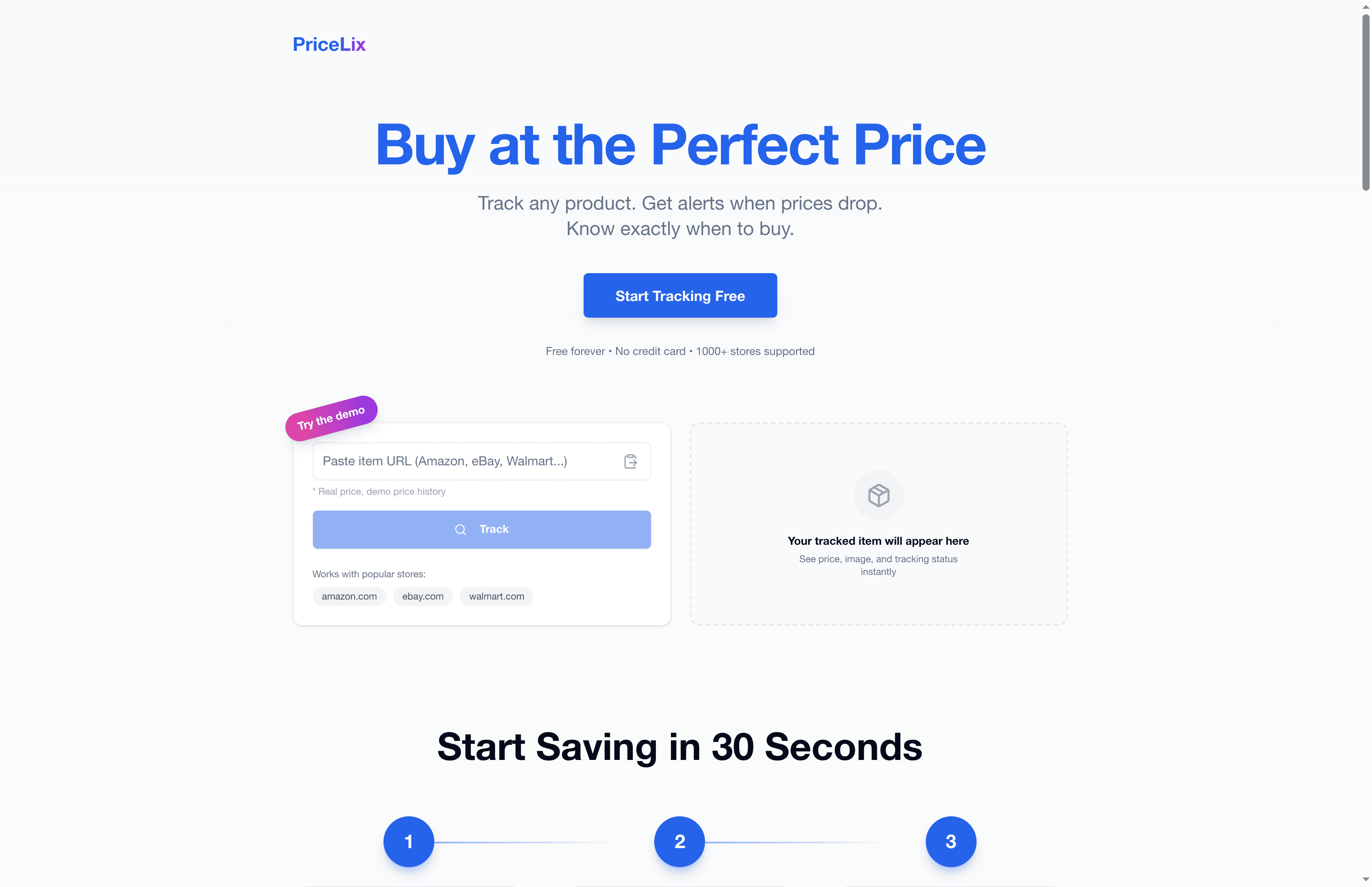
PriceLix is built exactly for this. It tracks prices automatically across Amazon, eBay, Walmart, and over a thousand other stores, sends real-time alerts when prices drop to your target, and gives you detailed price history charts so you can see whether a “sale” is actually a deal. No browser extensions required. No complicated setup. Just add the products you want to watch, set your alert threshold, and let the platform do the work. Whether you’re tracking one item or a full wishlist, PriceLix keeps you ahead of the price game without the manual grind. Start tracking smarter at PriceLix and stop overpaying for the things you were going to buy anyway.
Frequently asked questions
Do multi-store trackers work on all shopping sites?
Most multi-store trackers support major e-commerce platforms like Amazon, Walmart, and eBay, but dynamic site changes can cause coverage gaps on niche or rapidly updating retailers, so always verify directly if a specific store matters to you.
Are there free multi-store price tracking tools?
Yes, tools like Capital One Shopping and Honey offer free entry points that cover basic needs for most casual shoppers, as free tools automate cross-retailer comparisons without any upfront cost.
How accurate are price trackers when currencies or regions differ?
AI aids matching across regions, but currency conversions and regional pricing variations can introduce errors, so always double-check the final price in your local currency before purchasing.
Will using multi-store tracking always get me the lowest price?
Not always. Trackers monitor listed prices but can miss promo codes, flash sales, or last-minute changes, so reviewing the full cart total including shipping before you finalize any purchase is still essential.