
Compare prices effectively: proven tactics for smart shopping
You buy a laptop on Monday. By Thursday, it’s $80 cheaper at the same store. That sinking feeling is completely avoidable, and it happens to millions of shoppers every week. Shoppers using comparison tools save an average of $217 per year and report far fewer purchase regrets. The good news is that with the right checklist, tools, and habits, you can stop overpaying and start buying with real confidence. This guide walks you through every step, from pre-purchase checks to post-purchase refunds.
Table of Contents
- Price comparison 101: What to check before you click ‘buy’
- Top tools for comparing prices in 2026
- How to compare total cost, not just the price tag
- Track prices over time and set smart alerts
- Take advantage of price match and price protection policies
- Start tracking smarter with PriceLix
- Frequently asked questions
Key Takeaways
| Point | Details |
|---|---|
| Check total cost | Factor in shipping, taxes, and fees—not just the sticker price. |
| Use multiple tools | Combine price comparison sites, trackers, and browser extensions for best results. |
| Set price alerts | Let technology track sales for you and notify when deals hit your target. |
| Watch for fake deals | Confirm real savings by checking price history and actual discount levels. |
| Use price match policies | Request refunds if prices drop post-purchase to avoid leaving money on the table. |
Price comparison 101: What to check before you click ‘buy’
Before diving into price tools, take a minute to ensure you’re comparing the right products on the right terms. Two listings at different prices might look identical but differ in ways that matter a lot.
Start by recording the exact product details: manufacturer, model number, size, color, and key features. A 65-inch TV and a 70-inch TV are not the same deal, even if one is cheaper. The FTC’s online shopping tips recommend noting product specifics, checking trustworthy sites, and calculating the true total cost before committing.
Here’s a quick pre-purchase checklist to run through every time:
- Match the model exactly: Use the manufacturer’s model number, not just the product name.
- Calculate the full price: Add shipping, taxes, and any handling fees before comparing.
- Check retailer credibility: Stick to established stores or verified marketplaces to avoid fakes.
- Read the full description: Watch for words like refurbished, open box, or vintage that signal a non-standard item.
- Ignore urgency timers: Countdown clocks and “only 2 left” warnings are often marketing tactics, not real scarcity.
- Spot inflated discounts: Counterfeit items and fake markdowns are common, especially on marketplace platforms.
Pro Tip: Before you search for a deal, open a notes app and paste the exact model number. This one habit eliminates accidental mismatches and saves you from returning the wrong item.
For a deeper look at how to build this habit consistently, the best price tracking strategies guide covers a repeatable workflow you can use for any product category. If you’re new to monitoring product prices online, that resource is a great starting point.
Top tools for comparing prices in 2026
Now that you know what to check, selecting the right tools can make comparison seamless and reliable. The market is full of options, and each one has a sweet spot.
Popular comparison tools include Google Shopping, CamelCamelCamel, Honey, Capital One Shopping, and ShopSavvy. Each serves a slightly different purpose. Google Shopping is great for a fast overview across categories. CamelCamelCamel is the go-to for Amazon price history. Honey and Capital One Shopping auto-apply coupon codes at checkout. ShopSavvy excels at barcode scanning in physical stores.
| Tool | Best for | Price history | Auto-coupons | Mobile app |
|---|---|---|---|---|
| Google Shopping | Broad product search | No | No | Yes |
| CamelCamelCamel | Amazon tracking | Yes | No | No |
| Honey | Coupon stacking | Limited | Yes | Yes |
| Capital One Shopping | Cashback + coupons | Limited | Yes | Yes |
| ShopSavvy | In-store scanning | No | No | Yes |
Here’s why using just one tool is a mistake. Dynamic pricing means retailers adjust costs constantly, and a single platform may not catch every fluctuation. 94% of shoppers use reviews and comparisons before buying, and those who set alerts save 20 to 30% more than those who don’t.
- Use a price history tool to verify whether a “sale” price is actually lower than the historical average.
- Add a browser extension for automatic coupon application and instant deal notifications.
- Check a mobile app when you’re shopping in person to see if online prices beat the shelf price.
- Cross-reference at least two platforms before finalizing any purchase over $50.
Pro Tip: Install one browser extension and bookmark one price history site. Two tools used consistently beat five tools used randomly every time.
To learn how to track online prices for savings across multiple stores without juggling a dozen tabs, that guide breaks down a simple multi-tool routine. You can also explore browser extensions for price tracking to find the right fit for your browser.
How to compare total cost, not just the price tag
Not all deals are created equal. A $199 item with $25 shipping and no returns can easily lose to a $209 item with free shipping and a 30-day return window.

The real formula is simple: Total cost = item price + shipping + taxes + fees, minus any coupons, cashback, or rewards. The FTC advises shoppers to calculate this full number before comparing retailers, not after.
Here’s how the math can flip a decision:
| Retailer | Item price | Shipping | Tax | Coupon | True cost |
|---|---|---|---|---|---|
| Store A | $189 | $0 | $15 | $10 off | $194 |
| Store B | $179 | $14 | $14 | None | $207 |
| Store C | $195 | $0 | $15 | $20 cashback | $190 |
Store B looks cheapest at first glance. Store C wins after the full calculation. This kind of reversal happens constantly, and most shoppers miss it.
Follow this order to maximize savings on every purchase:
- Find the lowest base price across at least three retailers.
- Add shipping and estimated tax to each option.
- Search for active promo codes and apply the best one.
- Check if your credit card offers cashback or purchase protection for that category.
- Look for gift card discounts (many stores sell gift cards at 5 to 10% off through third-party sites).
- Compare the final numbers, not the sticker prices.
Stacking discounts is legal and encouraged. Combining a promo code, a cashback credit card, and a discounted gift card can produce 20 to 40% savings on a single purchase.
Pro Tip: Before checkout, always open a new browser tab and search “[store name] promo code [month year].” Takes 30 seconds and often saves 10 to 15%.
Understanding the price alert benefits that retailers build into their systems can also help you spot when a “deal” is engineered to look better than it is.
Track prices over time and set smart alerts
Seeing prices fluctuate? Tracking and alerting on price drops can turn uncertainty into a real advantage. The key is knowing when to buy, not just where.
Price history charts reveal something most shoppers never see: the actual average price of a product over weeks or months. Electronics, for example, routinely drop 30 to 50% during major sales events. But those same products sometimes get “pre-inflated” before the sale to make the discount look bigger. Price trackers help you verify whether a sale price is genuinely below the historical average.
Here’s how to build a smart alert strategy:
- Find the historical average price using a tracker before setting your target.
- Set your alert at 20 to 40% below the average for big-ticket items like appliances or electronics.
- Track seasonal items at least 6 to 8 weeks before the expected sale window.
- Use calendar reminders to manually recheck prices around major shopping events.
- Verify with history charts before acting on any alert, since dynamic pricing changes costs up to 2.5 times per day on some platforms.
“The best time to buy is rarely the day you decide you need something. It’s the day the data says the price is at its lowest.”
Products that benefit most from extended tracking include laptops, TVs, kitchen appliances, fitness equipment, and seasonal clothing. For everyday items under $20, the effort rarely pays off. Focus your tracking energy on purchases where a 20% drop means real money.
Learn how to set up price alerts step by step, or use the price tracking checklist to make sure you’re covering every angle. If you want a faster setup, the guide on how to get price drop alerts walks through the quickest options available in 2026.
Take advantage of price match and price protection policies
Even after buying, there are still ways to ensure you never overpay. Most shoppers don’t realize that the transaction doesn’t have to be final.
Price matching means a retailer agrees to match a lower price from a competitor, either before or at the time of purchase. Price protection goes one step further: if the same retailer drops the price within a set window after your purchase, you can claim a refund of the difference. Many major retailers offer this, but they rarely advertise it.
Here’s what to check before and after every significant purchase:
- Time limits: Most price protection windows run 7 to 30 days after purchase. Know the deadline.
- Proof required: Save your order confirmation, the competitor’s listing, and a screenshot with the date and price visible.
- Eligible competitors: Some retailers only match specific stores. Read the fine print.
- Exclusions: Sale prices, clearance items, and marketplace sellers are often excluded from matching policies.
- Stacking potential: A matched price can sometimes still be combined with a rewards credit or cashback offer.
Pro Tip: Set a calendar reminder for 7 days after any major purchase. Spend 5 minutes checking whether the price has dropped. That 5 minutes has a higher hourly return than almost anything else you’ll do that week.
Understanding what is a price alert and how it connects to price protection can help you automate this follow-up process. A solid price tracking workflow makes the whole system run without constant manual effort.
Start tracking smarter with PriceLix
Everything covered in this guide, from pre-purchase checklists to post-purchase refunds, works best when you have a reliable system behind it. Manual price checking is time-consuming and easy to forget.
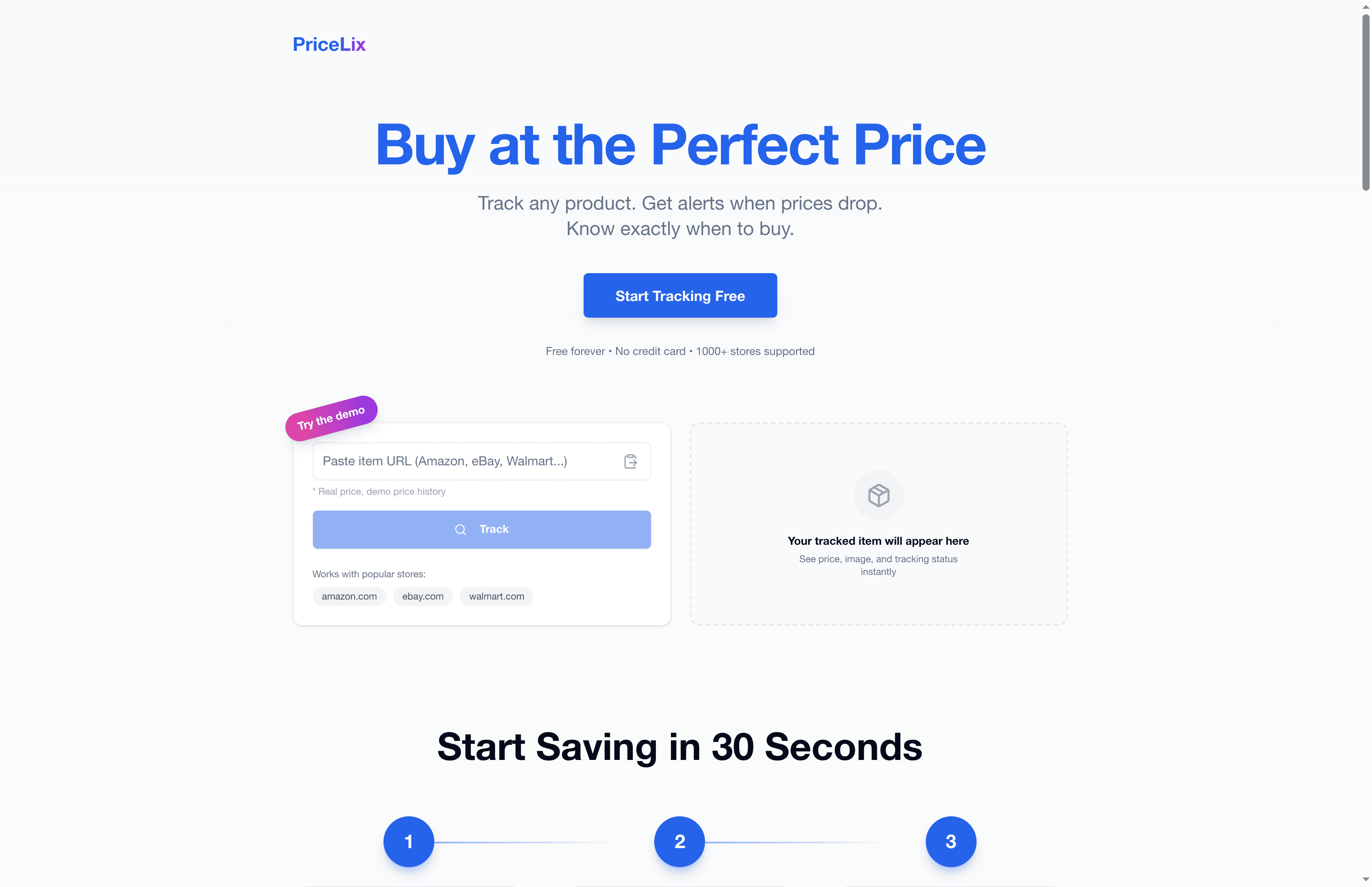
PriceLix automates the hard parts. Add any product from Amazon, eBay, Walmart, or over a thousand other stores, and PriceLix monitors the price daily, sends you a real-time alert when it drops, and shows you the full price history so you can spot fake sales instantly. No browser extensions required. No spreadsheets. Just a clean dashboard that tells you exactly when to buy. If you’re serious about saving money on every purchase, PriceLix gives you the tools to do it without the effort.
Frequently asked questions
How do I know if a shopping site’s discounts are real?
Use a price history tracker to verify historical lows and compare the “sale” price against the average over the past 90 days. If the price was never higher, the discount isn’t real.
What’s the quickest way to set up price alerts?
Install a browser extension like Honey or Capital One Shopping, which offer built-in alert options, or use a dedicated tracker like PriceLix to set a target price and receive email notifications automatically.
Are refurbished or open box items usually a good deal?
They can be, but always read the full product description to confirm the condition grade, warranty coverage, and return policy before buying from any seller.
How much can I really save by comparing prices?
Shoppers who use alerts and comparison tools save an average of $217 per year and report significantly fewer regretful purchases compared to those who buy without checking.
What should I do if the price drops after I buy?
Contact the retailer directly and ask about their price protection policy. Retailers may refund the difference if the price drops within their protection window, but you have to ask.