
Guide to saving on online shopping: Maximize your discounts
TL;DR:
- Most online shoppers overspend by ignoring total costs and fine print, not promo codes.
- Using price alerts and comparison tools helps track genuine discounts and avoid hidden fees.
You click “buy,” feel good about the deal you spotted, and then the package arrives with a $12 shipping charge you glossed over. Sound familiar? Most shoppers bleed money online not because they ignore promo codes, but because they skip the fine print and skip the tools that actually matter. This guide to saving on online shopping walks you through exactly what to check, which tools to use, and how to build habits that keep more money in your pocket every time you shop. No fluff. Just what works.
Table of Contents
- Understanding total costs and deal terms
- Setting up and using price alerts and comparison tools
- Planning purchases and avoiding impulse overspending
- Protecting yourself: verifying sellers and return policies
- Tracking purchases and handling post-purchase issues
- Why smart online shopping is more about process than coupons
- Maximize your saving potential with PriceLix tools
- Frequently asked questions
Key Takeaways
| Point | Details |
|---|---|
| Know total costs | Always calculate the full price including shipping, taxes, and fees before buying. |
| Use price alerts wisely | Set alerts to monitor price drops but verify final costs and return policies before purchasing. |
| Plan your purchases | Stick to a list and avoid impulse buys triggered by online marketing tactics. |
| Verify sellers and policies | Check seller credibility and return conditions to avoid losing money on returns or scams. |
| Keep thorough records | Track your orders, receipts, and communications to handle issues efficiently. |
Understanding total costs and deal terms
To start saving, you must first understand what actually influences the final price you pay. That “40% off” banner is not always what it looks like. Retailers are very good at advertising the most attractive number while burying the real cost one scroll further down the page.
Full cost awareness, including shipping, handling, delivery, taxes, and other fees, is the foundation of any smart purchase decision. A product listed at $29.99 with $9.99 shipping and no easy return option might be a worse deal than the same product at $36 with free shipping and free returns.
Here are the cost factors you should always check before adding anything to your cart:
- Advertised price vs. delivered price. Always calculate what you will actually pay at checkout, including all fees.
- Bundle requirements. Some deals require you to buy multiple items to unlock the discount. If you only need one, the “deal” may cost you more overall.
- Return and restocking fees. A 15% restocking fee on a $200 item means you lose $30 if you return it. That wipes out a lot of savings.
- Return shipping costs. Some sellers require you to cover return postage. On heavy or bulky items, this can run $20 or more.
- Subscription traps. Discounts sometimes activate a recurring charge you have to cancel manually.
Good price comparison best practices always start with the total landed cost, not the sticker price. Make this a reflex every time you shop.
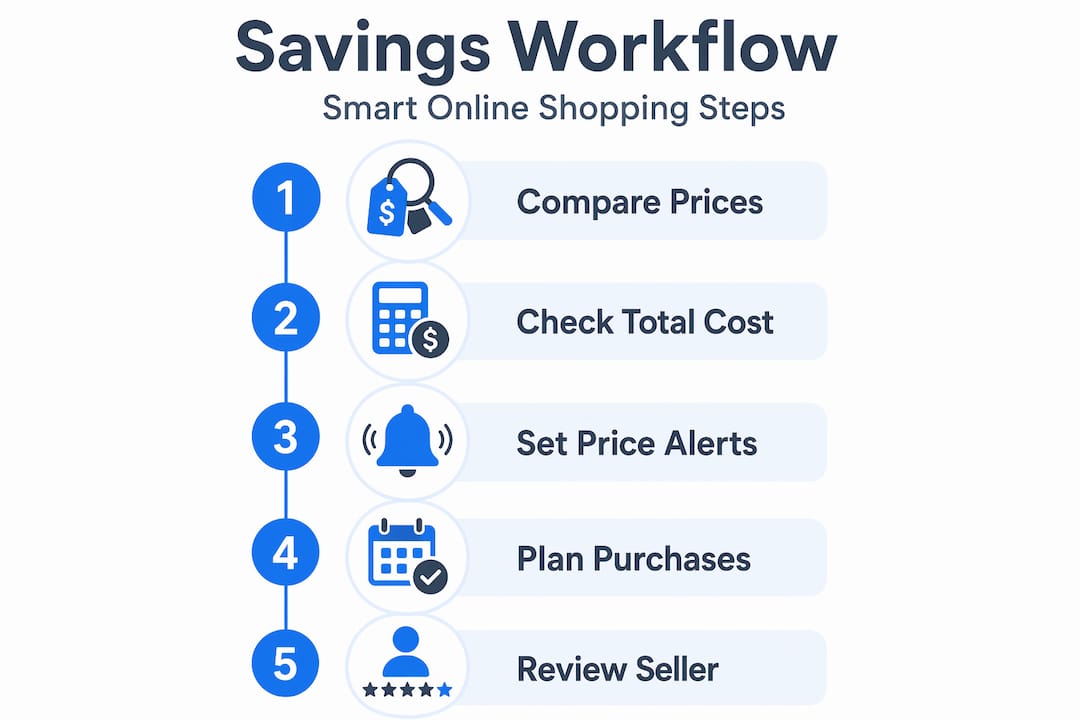
Setting up and using price alerts and comparison tools
With a solid understanding of costs and terms, the next step is to use technology to track prices for you. Manual monitoring is exhausting. The good news is you do not have to do it alone.
Comparison shopping sites with price alerts notify you when prices change, which takes the guesswork out of timing your purchases. Here is how to set it up properly.
- Choose a trustworthy platform. Look for tools that cover major retailers like Amazon, Walmart, and eBay, and that show actual price history charts, not just current prices. A chart that shows a product has been “$99” for six months is very different from one that shows it just dropped from $149.
- Add specific products. Be exact. Search by model number or full product name to make sure you are tracking the right item at the right retailer.
- Set a realistic price threshold. Decide what you are willing to pay before you set the alert. This prevents you from acting on a “drop” that is still above your budget.
- Review the full cost when alerted. Price alerts are triggers to verify final costs and return policies, not automatic buy signals. When you get the notification, check shipping, taxes, and return terms before clicking buy.
- Keep a short list of tracked items. Tracking 50 products creates noise. A focused list of 5 to 10 real needs keeps your alerts meaningful.
Pro Tip: Learn how to set up price alerts the right way from the start. A well-configured alert on a big-ticket item can save you $50 to $100 without you lifting a finger.
Here is a quick comparison of what to look for when evaluating alert and tracking tools:
| Feature | Why it matters |
|---|---|
| Price history chart | Reveals whether a “sale” is genuinely lower than usual |
| Multi-retailer coverage | Ensures you are not missing a better price elsewhere |
| Customizable threshold | Prevents alerts on drops that do not meet your budget |
| No browser extension needed | Easier to use across devices without setup friction |
| Email or push notifications | Timely alerts so you act before the deal disappears |
The top deal alert tools share most of these features, but not all. Knowing what to look for saves you from switching platforms later.
Planning purchases and avoiding impulse overspending
Besides technology, your own shopping habits have a strong impact on saving. Retailers design checkout flows to make spending feel effortless. That is by design. The house always wins when you shop without a plan.

Online shopping checkout design and frequent sales actively encourage impulse buying. Using a list and waiting when you do not need something immediately are among the most effective defenses.
These habits will help you stay on track:
- Keep a running shopping list. A visible, written list anchors your decisions in actual need rather than in-the-moment want. Keep it on your phone or a sticky note near your desk.
- Never shop when emotional. Stress shopping and boredom shopping are real. When you are frustrated, tired, or bored, you are far more likely to rationalize a purchase you do not need.
- Wait for major sale events for big purchases. Holding off until Black Friday, Amazon Prime Day, or end-of-season clearances for large items like electronics or appliances can mean 20 to 40% savings.
- Be skeptical of “Buy Now, Pay Later” offers. BNPL sounds budget-friendly, but missed payments trigger fees, and the installment structure makes it easy to spend more than you intended. The total cost is the same or higher.
- Ignore countdown timers. “Only 3 left in stock!” and “Deal ends in 02:47:00” are pressure tactics. Most items restock. Most deals repeat. Taking 24 hours rarely costs you the deal.
Pro Tip: Check out top budget shopping tips for proven ways to apply this mindset specifically to Amazon and Walmart, where these tactics are especially intense.
Protecting yourself: verifying sellers and return policies
To safeguard your savings, verifying sellers and return policies is crucial before completing a purchase. A great price from a sketchy seller is not a great price at all.
Return policies, including who pays return shipping and potential restocking fees, directly affect whether a deal actually saves you money. Never assume a return is free.
Here is what to check before you buy:
- Seller ratings and reviews. On marketplaces like Amazon and eBay, third-party sellers vary widely in reliability. Filter by sellers with at least 95% positive feedback and a reasonable number of ratings.
- Official storefronts vs. resellers. Buying directly from a brand’s official store or verified retailer reduces the risk of counterfeit products and simplifies returns.
- Return timeline. Some sellers allow 30 days, others only 14. Know the window before you buy, especially for gifts or items you may not use immediately.
- Condition of restocking fees. These are most common on electronics and appliances. A 15 to 20% fee can be a nasty surprise.
- Payment method. Always prefer a credit card.
Paying by credit card gives you the right to dispute charges if items are not delivered, are incorrect, or if a seller turns out to be fraudulent. Gift cards and wire transfers offer no such protection. Once that money is gone, it is gone.
The FTC warns explicitly that credit card payments are your strongest financial defense when shopping online. That single habit protects you from a wide range of potential losses.
For a broader view on staying safe while also maximizing discounts, explore these maximizing savings strategies that balance deal-hunting with risk awareness.
Tracking purchases and handling post-purchase issues
Even after purchase, active tracking and record-keeping help confirm your savings. Most people close the tab and forget about it. That is when problems slip through unnoticed.
Keeping records of what you ordered, proof of payment, seller promises, and any communications is your most practical tool for resolving issues quickly.
Follow this process after every purchase:
- Save your order confirmation email. Do not delete it. This is your primary proof of what was ordered, the price, and the delivery timeline.
- Screenshot any seller promises. If a listing says “ships in 2 days” or “30-day free returns,” grab a screenshot. Pages get updated.
- Use the tracking number. Check estimated delivery dates, and flag delays early. Most carriers allow you to set delivery notifications.
- Contact the seller first if something goes wrong. Most disputes resolve faster by going to the seller before escalating to the platform or your card issuer.
- Dispute promptly. If an item is not delivered or not as described, do not wait. Credit card dispute windows are typically 60 to 120 days from the statement date.
Here is a simple record-keeping reference for your purchases:
| What to save | Where to find it | Why it matters |
|---|---|---|
| Order confirmation email | Your inbox | Proof of price, item, and timeline |
| Tracking number | Confirmation email or seller dashboard | Monitor delivery and flag delays |
| Seller listing screenshot | Browser screenshot | Documents advertised condition and terms |
| Payment record | Credit card statement | Used for disputes if charged incorrectly |
| Return policy details | Seller page or email | Confirms your refund eligibility |
Good habits here mean you never lose a dispute you should win. For deeper guidance on this, see how to track online prices for savings and apply the same discipline to monitoring both prices and your purchase history.
Why smart online shopping is more about process than coupons
Here is the uncomfortable truth: most savings advice focuses on the wrong thing. Discount codes get all the attention, but they are the smallest part of the equation. A 10% off code on an overpriced, no-returns item with $15 shipping is still a bad deal.
Online stores are designed around frictionless spending. The fewer barriers between you and checkout, the more money you spend. Every convenience feature, one-click buying, saved cards, automatic reorders, works against your budget when you shop without a deliberate process.
The shoppers who consistently pay less are not the ones with the best coupon stash. They are the ones who built a repeatable process. They know their real price threshold before they shop. They check price history before they buy. They have a list and they stick to it. They review total cost, not just the sale price.
Relying solely on promo codes misses the bigger levers. Price alert benefits are a perfect example. A well-timed alert based on real price history data can save you three to five times more than a typical coupon code, and it requires almost no active effort once set up.
The other hidden win is decision fatigue reduction. When you have clear criteria, including your price, your preferred seller rating, and your return requirements, you stop deliberating at the moment of purchase. That is where most overspending happens: in the gray area of “maybe.”
Build the process. The savings follow automatically.
Maximize your saving potential with PriceLix tools
Knowing what to do is step one. Having the right tools to do it consistently is where most budget-friendly online shopping strategies break down.
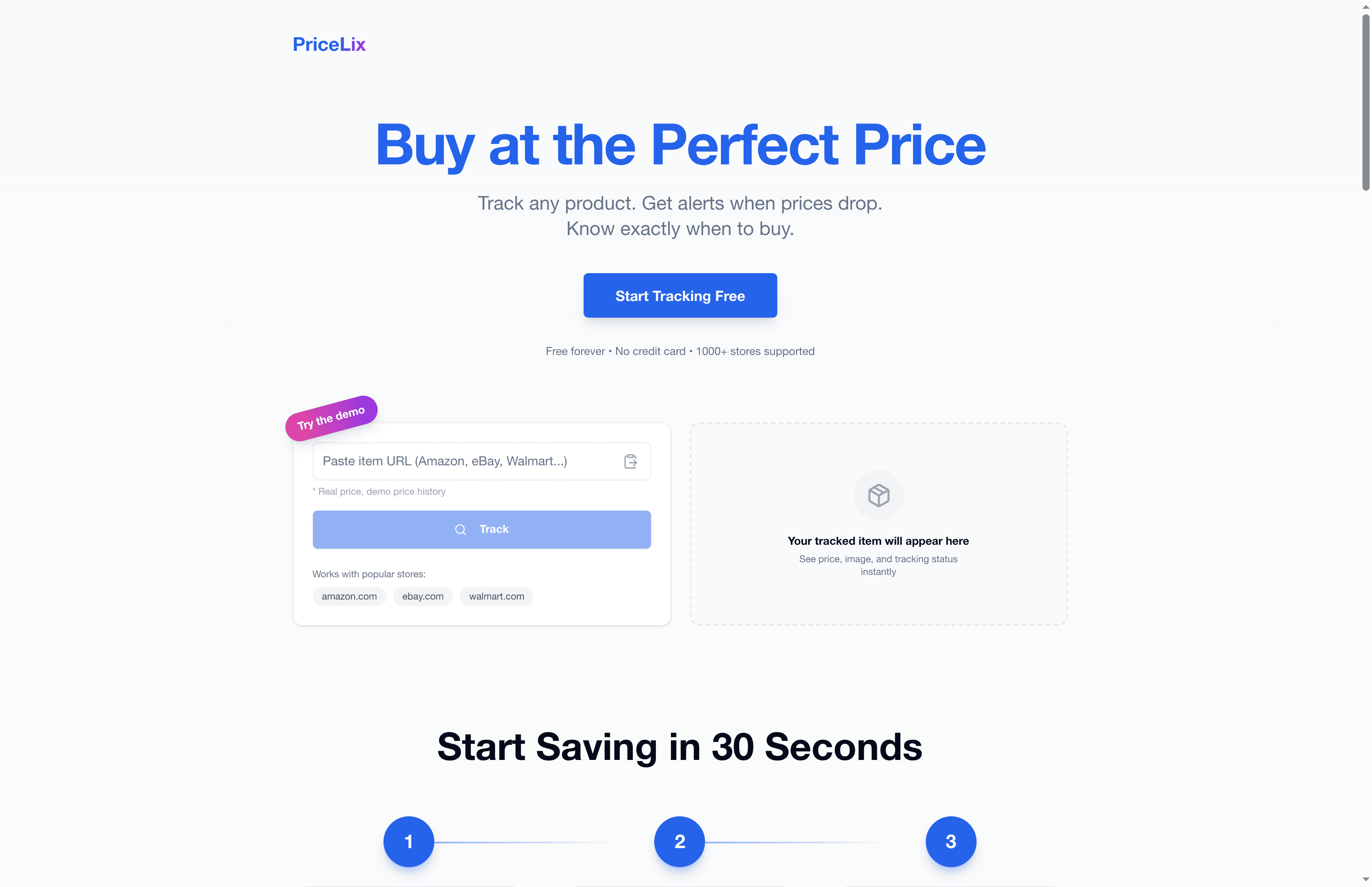
PriceLix is built exactly for this. You can track prices across Amazon, Walmart, eBay, and over a thousand other retailers from a single dashboard, with no browser extensions required. Set your price threshold, and PriceLix sends you an alert the moment a product hits your target. Price history charts show you whether a “sale” is real or manufactured. Explore the setting up price alerts guide to get started in minutes, and check out proven monitoring discounts strategies to put the full process into practice. Stop guessing. Start tracking.
Frequently asked questions
How can I be sure I’m getting the best price online?
Use comparison sites and price alerts, and always calculate total costs including shipping, taxes, and fees before committing to a purchase. A lower sticker price does not always mean a better deal once all costs are included.
What should I look for in an online seller’s return policy?
Check return shipping costs, the return deadline, any restocking fees, and whether sale items have different rules than regular purchases. These details can turn a good deal into a costly mistake if ignored.
Why should I avoid paying with gift cards or wire transfers?
Gift cards and wire transfers give you virtually no recourse if you are scammed or receive the wrong item. Credit cards allow you to dispute charges and recover money far more reliably.
How do price alerts help me save money?
Price alerts notify you when a tracked product drops to your target price, but they are a prompt to verify, not a signal to buy blindly. Always confirm shipping costs and return terms before purchasing.
What habits help prevent overspending online?
Use a shopping list and wait before buying anything that was not already on your radar. Ignoring countdown timers, avoiding emotional shopping, and resisting BNPL offers will protect your budget more reliably than any coupon strategy.