
Understanding e-commerce discounts: Maximize your savings
TL;DR:
- E-commerce discounts vary in type and interaction, requiring shoppers to understand their mechanics for genuine savings. Chasing every deal can lead to overspending; strategic, informed purchasing maximizes value. Using tools like PriceLix automates tracking and helps identify real discounts, ensuring smarter shopping decisions.
You see a big red “40% OFF” badge on a product page, and your first instinct is to celebrate. But then you reach checkout and the number doesn’t quite add up. Sound familiar? That gap between the advertised deal and what you actually pay happens more often than retailers would like you to know. Understanding exactly how e-commerce discounts work, what types exist, and how they interact with tax and shipping rules can mean the difference between a real win and a marketing trap that costs you more than you planned to spend.
Table of Contents
- What are e-commerce discounts and why do they matter?
- Main types of discounts: How each one works
- Discount mechanics: Deeper details that shape your final price
- Smart strategies to maximize e-commerce discount savings
- The overlooked truth: Real savings come from thoughtful shopping, not just chasing every discount
- Unlock even greater savings with PriceLix
- Frequently asked questions
Key Takeaways
| Point | Details |
|---|---|
| Know discount types | Understanding whether a deal is percent-off, dollar-off, or conditional reveals how much you really save. |
| Check offer details | Always review terms for exclusions, duration, shipping, and stacking rules before checkout. |
| Use timing wisely | Plan major purchases around seasonal sales for the biggest impact on savings. |
| Don’t overspend | Only chase threshold or conditional deals if you were already planning to buy those items. |
| Leverage technology | Use discount tracking tools for instant alerts on real deals that match your shopping list. |
What are e-commerce discounts and why do they matter?
Let’s start with the basics. An e-commerce discount is any reduction applied to the standard price of a product or order. Simple enough. But here’s where it gets nuanced: the type of discount determines where and when the savings actually kick in. And not all discounts are created equal.
Retailers use discounts for a variety of reasons. They want to clear inventory, attract new customers, reward loyal shoppers, and drive more conversions during slow periods. Knowing this helps you understand that discounts are just as much about retailer strategy as they are about your savings. The house always wins, unless you know the rules.
The most common types of e-commerce discounts you’ll encounter include:
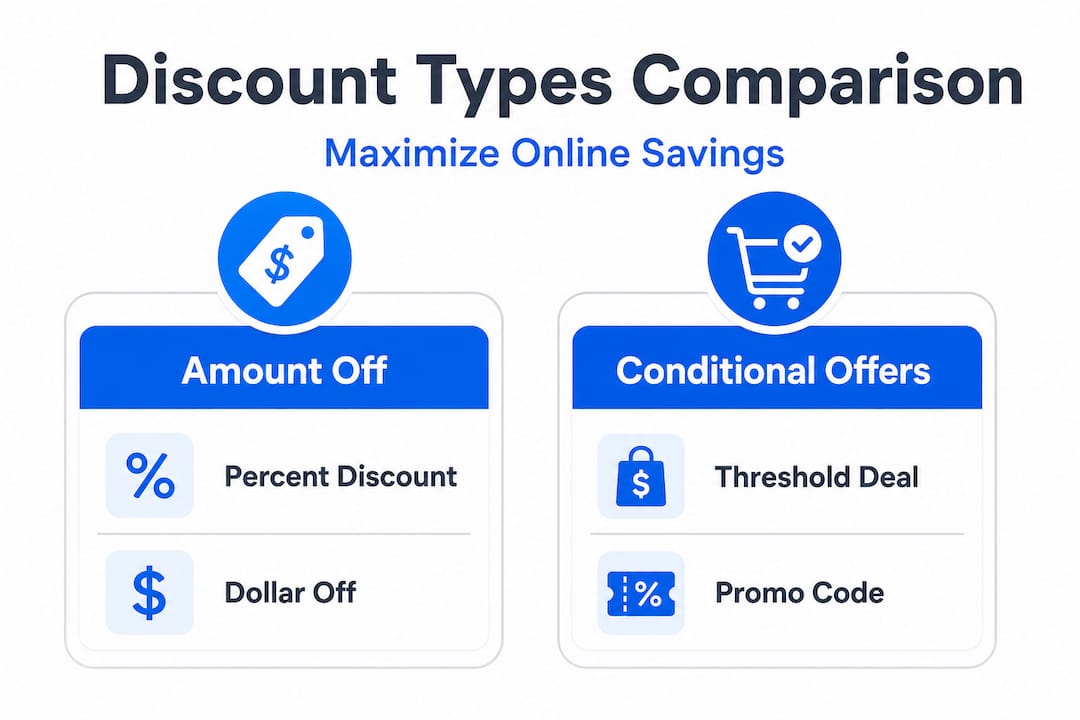
- Percent-off discounts: A set percentage taken off a product or cart total (e.g., 20% off your entire order)
- Dollar-off discounts: A fixed dollar amount deducted from a product or cart (e.g., $15 off orders over $75)
- Buy one, get one (BOGO): You purchase one item and receive another free or at a reduced price
- Threshold or conditional offers: Discounts triggered when you hit a certain spending amount or quantity
- Free shipping coupons: Applied specifically to shipping costs rather than product prices
- Promo codes: Alphanumeric codes you enter at checkout to activate a specific discount
“Coupons in e-commerce typically come in percent-off, fixed-cart, and fixed-product variants, with discounts applied before tax calculation and typically not affecting shipping (unless the coupon is for free shipping).”
That last point matters a lot. Most discounts apply to product prices before taxes are added. Shipping is usually a separate line item and is not touched by standard coupons. Knowing this prevents a nasty surprise at checkout.
To get the most out of these deals, it also helps to know which best discount retailers consistently offer the deepest legitimate savings. Not every store prices discounts the same way, and some are far more generous than others across different product categories.
Main types of discounts: How each one works
Now that you know discount basics, let’s get specific about each type, and how to spot (and use) them for the best results.
According to the promotional mechanics framework, promotions are designed around three core levers: depth (how much of a discount), frequency (how often it runs), and mechanic type (how it’s presented and applied). Understanding mechanic type alone can seriously upgrade your shopping game.

Here’s a breakdown of each major discount type:
| Discount type | How it works | Best use case |
|---|---|---|
| Percent-off | Reduces item or cart by a fixed % | Large purchases where % savings are significant |
| Dollar-off | Deducts a flat $ amount | Smaller orders where flat savings hit harder |
| BOGO/multi-buy | Free or discounted item with qualifying purchase | Household staples, consumables |
| Threshold/conditional | Discount activates at a cart minimum | When you already need multiple items |
| Promo code | Code entered at checkout, maps to a discount rule | One-time use, sales events, email offers |
| Free shipping | Waives delivery fee, doesn’t touch product price | Smaller orders where shipping inflates total cost |
A few important things to watch for when using each type:
- Percent-off discounts shine on high-ticket items. A 20% discount on a $500 item saves you $100. On a $20 item? Just $4. Context matters.
- Dollar-off deals can be more valuable on lower-priced items. Getting $10 off a $30 product is a 33% saving.
- BOGO offers are powerful for products you actually consume regularly, like coffee pods, protein bars, or cleaning supplies. Stocking up makes sense here.
- Threshold offers need careful scrutiny. Adding extra items to hit a spending minimum can cost more than the discount saves.
- Promo codes are often stackable in some stores but not others. Test before assuming.
Pro Tip: Always calculate the actual dollar amount saved, not just the percentage displayed. A “40% off” flash sale on a product that rarely drops below $200 could still be a worse deal than a quieter “$50 off” promotion on the same item during a low-traffic period.
Staying on top of deals requires consistent effort, which is why monitoring discounts systematically and automatically is the move most serious shoppers eventually make. Checking pages manually every day gets old fast, and by the time you notice a deal, it may already be gone.
For those just building their savings habits, these budget shopping tips offer a solid practical foundation across the biggest e-commerce platforms.
Discount mechanics: Deeper details that shape your final price
Knowing the type of discount isn’t enough. Understanding how they interact with other checkout rules is the secret to true savings.
Here’s a table summarizing how different discount types interact with common checkout factors:
| Factor | Percent-off | Dollar-off | BOGO | Free shipping coupon |
|---|---|---|---|---|
| Applied before tax? | Yes | Yes | Usually yes | N/A (applied to shipping) |
| Affects shipping? | No | No | No | Yes (only) |
| Product restrictions? | Often | Often | Usually | Sometimes |
| Expiration/limits? | Yes | Yes | Yes | Yes |
| Stackable? | Rarely | Rarely | Rarely | Sometimes |
Coupons and promo codes are not just passive discount switches. Coupon definitions include rules around duration (how long the discount is active) and redemption limits (how many times it can be used). A coupon might only work for your first purchase, or it might expire three days after it’s issued. These aren’t details stores advertise prominently.
“Mechanics and constraints matter: discounts may apply differently across cart lines, tax, shipping, products, and time windows; shoppers aiming to maximize savings should verify what the offer covers (products vs shipping), and whether the discount duration/redemption rules match their intended purchase date.”
A conditional or threshold discount adds another layer. Say a store offers “$20 off orders over $100.” You might add items you don’t really need just to cross that threshold. You’ve now spent $105 to save $20. Net cost: $85 for stuff you half-wanted. A dollar-off or percent-off on something you already planned to buy would have been a cleaner win.
Here are the key questions to ask before using any discount:
- Does this apply to the specific product I want, or only to select categories?
- Is it applied before or after tax is calculated?
- Will it also lower shipping, or is shipping a separate charge?
- Does the coupon expire before I plan to check out?
- Is there a maximum redemption limit or single-use rule?
Pro Tip: Read the offer’s terms before adding to cart. Many discount restrictions are buried in a “see terms” link near the promo banner. It takes 30 seconds and could save you from a confusing checkout total. Good discount tracking platforms will often capture these rules and alert you to expiry windows automatically.
Smart strategies to maximize e-commerce discount savings
With mechanics clear, let’s turn knowledge into action and cover real-world tactics any shopper can use for bigger savings.
Threshold/conditional offers are specifically engineered to change how you build your cart, nudging you to add extra items to hit a spending trigger. The best deal is only a deal if you were already planning that spend. Keep that in mind as you build out the tactics below.
-
Plan big purchases around major sales events. Black Friday, Cyber Monday, and back-to-school sales are predictable. Build a wish list months in advance and check price history before each event to confirm the discount is real, not a pre-inflated markdown.
-
Track prices on your wish list items automatically. Manual checking is time-consuming and inconsistent. Set up price alerts so you’re notified the moment something hits your target price.
-
Stack compatible discounts whenever you can. Some retailers allow a promo code to be combined with a cashback offer or store credit. Read the terms. When stacking works, it multiplies your savings significantly.
-
Never overspend to trigger a deal. This one is worth saying twice. Adding $30 in unwanted products to qualify for a $15 discount is not savings. It’s spending $15 more than you needed to.
-
Read the offer terms closely. Look for product exclusions, expiration dates, and usage caps. Discounts that can’t be applied to sale items already are a classic bait-and-switch.
-
Compare prices across multiple stores. A product marked “20% off” at one retailer might still be priced higher than the standard price at another store. Price history charts show you exactly what a fair price looks like.
You can sharpen these habits further with strong bargain hunting strategies and smart use of seasonal savings timing. Knowing which categories typically see the deepest discounts at which time of year puts you miles ahead of the average shopper.
One more: learn to identify fake markdowns. Retailers sometimes inflate a “before” price so the “after” price looks like a deal when it isn’t. Your best defense is price history data. A product that’s been “$49.99” for eight months and is now “on sale” from “$79.99” to “$49.99” tells you everything. Check how to start spotting fake discounts before your next big purchase.
The overlooked truth: Real savings come from thoughtful shopping, not just chasing every discount
Here’s something the deal-hunting world doesn’t say enough. Chasing every discount is not the same as saving money. In fact, it can work against you.
Marketing is designed to create urgency and expand your cart. Countdown timers, “only 3 left” warnings, and escalating “deal of the day” banners are all tools built to override your rational decision-making. Every time you buy something you didn’t plan to buy, because a discount made it feel foolish not to, the retailer wins. You didn’t save money. You spent it.
Real savings mean spending less on what you actually need, not buying more to unlock a bigger discount badge. A 50% off coupon on something you don’t need is a 100% waste. This sounds obvious written out, but in the moment? The pull is strong.
The mechanics knowledge in this article is most powerful when it’s paired with intent. You know you need a new laptop. You’ve tracked the price history. You’ve identified the right sales window. You’ve read the discount terms to confirm the code applies to your model. You buy it at the right time for the right price. That is what genuine savings look like.
Understanding how to decode an offer also protects you from inflated markdowns and misleading “original prices.” Sellers are not legally required in most jurisdictions to prove their reference price is real. Your defense is data, price history, comparison tools, and your own shopping discipline. Learn to spot fake discounts and you’ll never feel tricked at checkout again.
The goal isn’t to avoid deals. It’s to use them on purpose.
Unlock even greater savings with PriceLix
All the knowledge in this article is powerful on paper. But applying it consistently across dozens of products and hundreds of sales events is where most shoppers run out of steam.
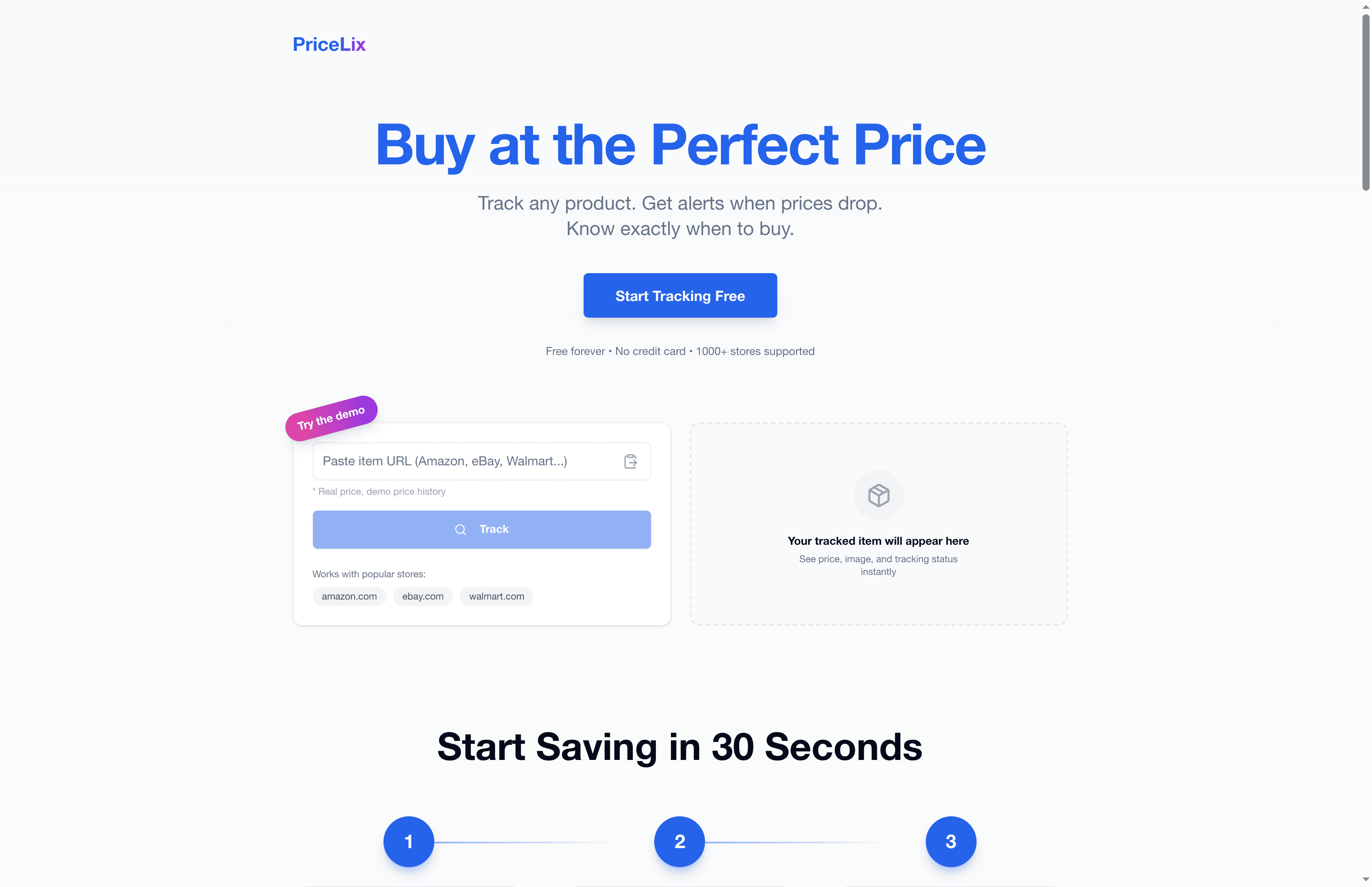
That’s exactly what PriceLix was built for. Instead of manually refreshing product pages or trying to remember which items are on your wish list, the PriceLix discount tracker automatically monitors prices across Amazon, Walmart, eBay, and over a thousand other stores, sending you real-time alerts when a price drops to your target. You get full price history charts, so you can instantly see whether a sale is real or just clever staging. It consolidates everything into one clean dashboard, no browser extensions required. If you’re serious about putting the strategies in this article to work, learning to monitor deals with the right tools is the smartest next step you can take.
Frequently asked questions
Do e-commerce discounts always apply to shipping costs?
No, most discounts only apply to products or cart totals, not shipping, unless it’s a free shipping coupon specifically designed to waive that charge.
Can I use more than one discount code on an order?
It depends on the retailer. Some allow stacking multiple codes, but many platforms limit you to one promo code per order, so always check the terms before assuming you can combine them.
How can I tell if a threshold or conditional offer actually saves me money?
Only take advantage if you were already planning to spend that amount. Threshold offers are designed to prompt you to add more items, so the math only works in your favor when the extra spending was already on your list.
What’s the difference between a coupon and a promotion code?
A coupon is the underlying discount definition (a set percentage or dollar amount off), while a promo code is the customer-facing code you type at checkout. Coupons define the discount rules, including duration and redemption limits, and the promo code simply activates that coupon.
How do I find out the rules or exclusions for a discount?
Check the offer’s terms and conditions, usually found in fine print near the promo code or in a link at checkout. These clarify which products are eligible, how long the discount is valid, and any usage limits that apply.