
Unlock more savings: 7 advantages of real-time alerts
TL;DR:
- Real-time alerts automate price watching, notifying shoppers instantly when deals or drops occur, saving time and money.
- Choosing the right tool and configuring thresholds reduces overload, enhances accuracy, and maximizes savings across multiple platforms.
You add a product to your cart, then wait. A week later, you check back and the price has jumped $40. Or worse, you buy it full price, and the very next day it drops 30%. Sound familiar? Millions of online shoppers are bleeding money without realizing it, simply because they lack one thing: timely information. Real-time alerts fix that. They automate the watching, the comparing, and the notifying, so you can show up exactly when a deal is live and walk away having paid the right price.
Table of Contents
- What are real-time alerts and how do they work?
- Top 7 advantages of real-time alerts every smart shopper should know
- Comparison of leading real-time alert tools for shoppers
- Potential pitfalls: Alert fatigue, accuracy, and privacy concerns
- How to maximize savings and minimize drawbacks with real-time alerts
- Our take: Why smarter alert management matters more than the tool itself
- Ready to start saving more? Try smarter price alerts today
- Frequently asked questions
Key Takeaways
| Point | Details |
|---|---|
| Instant savings opportunities | Real-time alerts help you snag flash deals the moment prices drop. |
| Automation saves time | Alerts handle price tracking so you don’t have to check manually. |
| Cross-platform advantage | Alerts on multiple retailers boost your chances of saving more. |
| Beware notification fatigue | Too many alerts can overwhelm—proper setup is key. |
| Privacy and accuracy matter | Choose trusted platforms and review settings to avoid risks. |
What are real-time alerts and how do they work?
Now that you understand why timely notifications matter, let’s break down what real-time alerts actually are and how they function.
A real-time alert is an automated notification that fires when a product’s price changes, usually when it drops below a threshold you’ve set. You don’t have to check anything manually. The tool does the watching 24/7 and pings you the moment something changes. That’s the whole idea behind understanding what is a price alert and why so many shoppers now rely on them.
These alerts show up in a few different ways:
- Email notifications sent directly to your inbox when a price drops
- Browser extension pop-ups that trigger while you shop
- App push notifications on your phone for instant access
- Dashboard summaries consolidating all tracked items in one view
Most tools also include price history charts, which are visual graphs showing how a product’s price has moved over time. This chart becomes gold when you’re trying to figure out whether today’s “sale” is actually a deal or just a normal price with a flashy label on it.
Popular tools like CamelCamelCamel, Honey, and Capital One Shopping support price history charts, threshold alerts, and multi-retailer tracking, with Honey’s Droplist organizing watched items in one clean list. For shoppers new to the process, setting up price alerts is simpler than most people expect. You pick a product, enter a target price, and the system handles everything else.
Key takeaway: Real-time alerts remove the manual work from price tracking. You set the rules once, and the tool executes them automatically.
Top 7 advantages of real-time alerts every smart shopper should know
With the basics covered, let’s dive into the real-world advantages that these alerts offer to savvy shoppers.
Real-time alerts aren’t just a convenience. They’re a strategy. Here are the seven reasons they actually move the needle on savings.
1. You catch flash deals before they disappear
Flash deals sometimes last just a few hours. If you’re not watching, you miss them entirely. Alerts notify you in real time so you can act while the deal is still live. This is especially critical during Black Friday, Cyber Monday, or Amazon Prime Day when prices shift by the minute.
2. Automation saves you hours every month
Think about how long it takes to manually check prices across Amazon, Walmart, and eBay for five different products. That’s a time sink. Alerts eliminate that entirely. The tool checks for you, every day, without fail.
3. Cross-platform tracking keeps you covered everywhere
Good alert tools monitor multiple retailers at once. So instead of only knowing the Amazon price, you get notified when any tracked store drops below your threshold. This is where understanding price alert benefits across different retailers really adds up.
4. The savings numbers are real
Let me hit you with some numbers. Empirical savings include an average of $42.78 per purchase via real-time comparisons, $200 or more in annual recoveries from post-purchase price drops using tools like TaskMonkey, and an 18.4% discount capture rate across tracked items. Those aren’t hypothetical figures. That’s what consistent alert use produces.

5. You avoid overpaying by understanding price patterns
Retailers raise prices before sales events to make discounts look bigger. With price history data built into alert tools, you see through that tactic immediately. You know whether a “deal” is real because you can see exactly what the product cost three months ago. This knowledge alone is worth setting up alerts for.
6. Customization cuts the noise
You control what you get notified about. Set a threshold of 15% below current price? You’ll only hear from the tool when a meaningful drop happens. That’s the whole point of understanding discount alerts meaning in practical use. It’s not about getting more notifications. It’s about getting the right ones.
7. You make faster, more confident decisions
High-demand items like gaming consoles, laptops, and popular appliances sell out fast. When an alert fires, you already know the context. You’ve tracked the price. You know this is a good deal. That confidence speeds up your decision, and in a competitive market, speed matters.
Pro Tip: Keep your watchlist focused. Tracking 50 items across 10 stores sounds thorough, but it leads to notification overload. Pick your top 10 priority items and set meaningful thresholds. Quality over quantity always wins with alert management.
“Real-time alerts maximize savings for online shoppers, but only when the setup reflects your actual buying priorities. A bloated watchlist defeats the purpose.”
Comparison of leading real-time alert tools for shoppers
Knowing the benefits, the next step is choosing the right alert tool by understanding what each offers.
Not all alert tools are created equal. Here’s a side-by-side look at how the major players stack up.
| Tool | Best for | Retailer coverage | Alert type | Customization |
|---|---|---|---|---|
| Honey | Amazon and partner stores | Moderate | Browser pop-up, Droplist | Basic threshold |
| CamelCamelCamel | Amazon only | Amazon exclusive | Target price setting | |
| Capital One Shopping | Cross-platform savings | Wide multi-retailer | Browser extension, email | Moderate |
| TaskMonkey | Post-purchase recovery | Select platforms | Email, app | Advanced |
Tool comparisons show Honey and CamelCamelCamel are most effective for Amazon shopping, while multi-site tools like Capital One Shopping perform better for cross-platform savings. No single tool dominates every category.
Here’s a quick breakdown of pros and cons for each:
Honey
- Pros: Easy setup, clean Droplist interface, browser integration
- Cons: Limited to partner stores, less detailed price history
CamelCamelCamel
- Pros: Deep Amazon price history, reliable email alerts
- Cons: Amazon only, no mobile app
Capital One Shopping
- Pros: Wide retailer coverage, automatic coupon application
- Cons: Requires browser extension, alerts can be delayed
TaskMonkey
- Pros: Post-purchase price drop recovery, advanced customization
- Cons: Smaller user base, newer platform with less data
If you’re mainly an Amazon shopper, CamelCamelCamel is hard to beat. If you spread your purchases across multiple stores, Capital One Shopping or a multi-platform tool makes more sense. For shoppers looking beyond these names, exploring camelcamelcamel alternatives can surface some surprisingly capable options. You can also compare price alert platforms side by side to find the right fit for your shopping habits.
Potential pitfalls: Alert fatigue, accuracy, and privacy concerns
While the advantages are clear, there are also hidden risks that every savvy shopper should keep in mind.
Real-time alerts aren’t perfect. Understanding their limitations helps you use them smarter, not just harder.
Alert fatigue is real
The average heavy alert user receives 46 to 63 daily notifications across apps and services. When price alerts pile on top of everything else, they get ignored or switched off entirely. At that point, you’ve lost the benefit. The solution isn’t more alerts. It’s better-configured ones.
Accuracy isn’t always guaranteed
Price tracker data can lag by one to two days, show inaccurate prices from scraping errors or rate limits, and occasionally fire false alerts from temporary glitches. A product might show a “price drop” that was corrected within hours, leading you to a product page that no longer has the deal. This doesn’t happen constantly, but it happens enough to keep in mind.
Retailers are playing defense too
Here’s an uncomfortable truth: retailers know you’re using alert tools. Some use AI to detect browsing patterns and serve you personalized pricing that actually goes up based on your behavior. The house always wins if you let it. Knowing that this exists helps you counter it by shopping in private/incognito mode and varying your browsing patterns.
Privacy is a legitimate concern
Many alert tools track your browsing behavior, wishlists, and purchase history to function. That data can be shared or sold. Always read the privacy policy before installing a browser extension or signing up for an alert service.
Here’s how to protect yourself:
- Stick to reputable tools with clear privacy policies
- Limit how many tools you install as browser extensions
- Review price drop alerts explained to understand exactly what data each tool needs to function
- Learn how price comparison works under the hood so you know what you’re agreeing to
Pro Tip: Every few months, audit your alert subscriptions. Unsubscribe from tools you’re not actively using and review permissions for any browser extensions. It takes five minutes and protects both your inbox and your data.
How to maximize savings and minimize drawbacks with real-time alerts
To help you get the rewards without the drawbacks, here’s how to optimize your alert strategy for maximum savings.
Setup matters more than the tool you choose. Follow these steps to build an alert system that actually works for you.
-
Start with a focused watchlist. Pick products you genuinely plan to buy in the next 60 to 90 days. Tracking items out of casual curiosity wastes notification budget.
-
Set meaningful thresholds. Don’t alert on every $1 drop. For a $200 item, set your threshold at 10 to 15% below current price. That filters noise and highlights real opportunities.
-
Use at least two tools. One for Amazon-specific tracking, one for broader cross-platform coverage. This ensures you don’t miss deals that only appear on Walmart or eBay.
-
Check price history before buying. Even when an alert fires, verify the drop is genuine by looking at the price history chart. A “deal” that’s really just the normal price isn’t worth rushing for.
-
Review and clean your watchlist monthly. Remove items you’ve already bought or decided against. A leaner list means more relevant alerts.
Here’s a snapshot of what typical alert setups deliver across major platforms:
| Platform | Avg. savings per purchase | Alert frequency | Known error rate |
|---|---|---|---|
| Amazon (via CamelCamelCamel) | $38 to $45 | 3 to 5/week | Low |
| Multi-retailer (Capital One) | $25 to $42 | 5 to 8/week | Moderate |
| Broad tracking tools | $20 to $35 | Varies | Moderate to high |
Real-time alerts maximize savings for online shoppers by enabling timely action on flash deals across platforms, but success depends on proper setup to avoid fatigue and inaccuracies. Don’t skip the configuration step. It’s the difference between alerts that work and alerts that annoy.
For deeper guidance, explore online price comparison tools and review price comparison best practices to round out your strategy heading into 2026.
Our take: Why smarter alert management matters more than the tool itself
Here’s something most shopping guides won’t tell you: the tool is almost irrelevant if your setup is bad. We’ve seen shoppers use CamelCamelCamel with such well-tuned thresholds that they save consistently every month. We’ve also seen people install four browser extensions, set alerts on 80 products with no thresholds, and then ignore everything because they’re drowning in notifications.
The real advantage isn’t in picking the “best” tool. It’s in treating your alert setup like a system, not a one-time click. Your watchlist should reflect what you actually intend to buy. Your thresholds should reflect real value to you, not just any percentage drop. And your notification channels should match your behavior. If you check email three times a day, email alerts work great. If you’re always on your phone, push notifications make more sense.
Following alert management best practices is what separates shoppers who occasionally catch a deal from shoppers who consistently pay less than everyone else. It requires about 20 minutes of upfront setup and a quick monthly review. That’s a small time investment for a meaningful, recurring return on your spending.
The savviest shoppers we know don’t obsess over which tool is trending. They obsess over their thresholds, their watchlist hygiene, and their privacy settings. That’s where the actual savings live.
Ready to start saving more? Try smarter price alerts today
You’ve seen the advantages, the pitfalls, and the strategy behind getting real-time alerts to work in your favor. Now it’s time to actually use them.
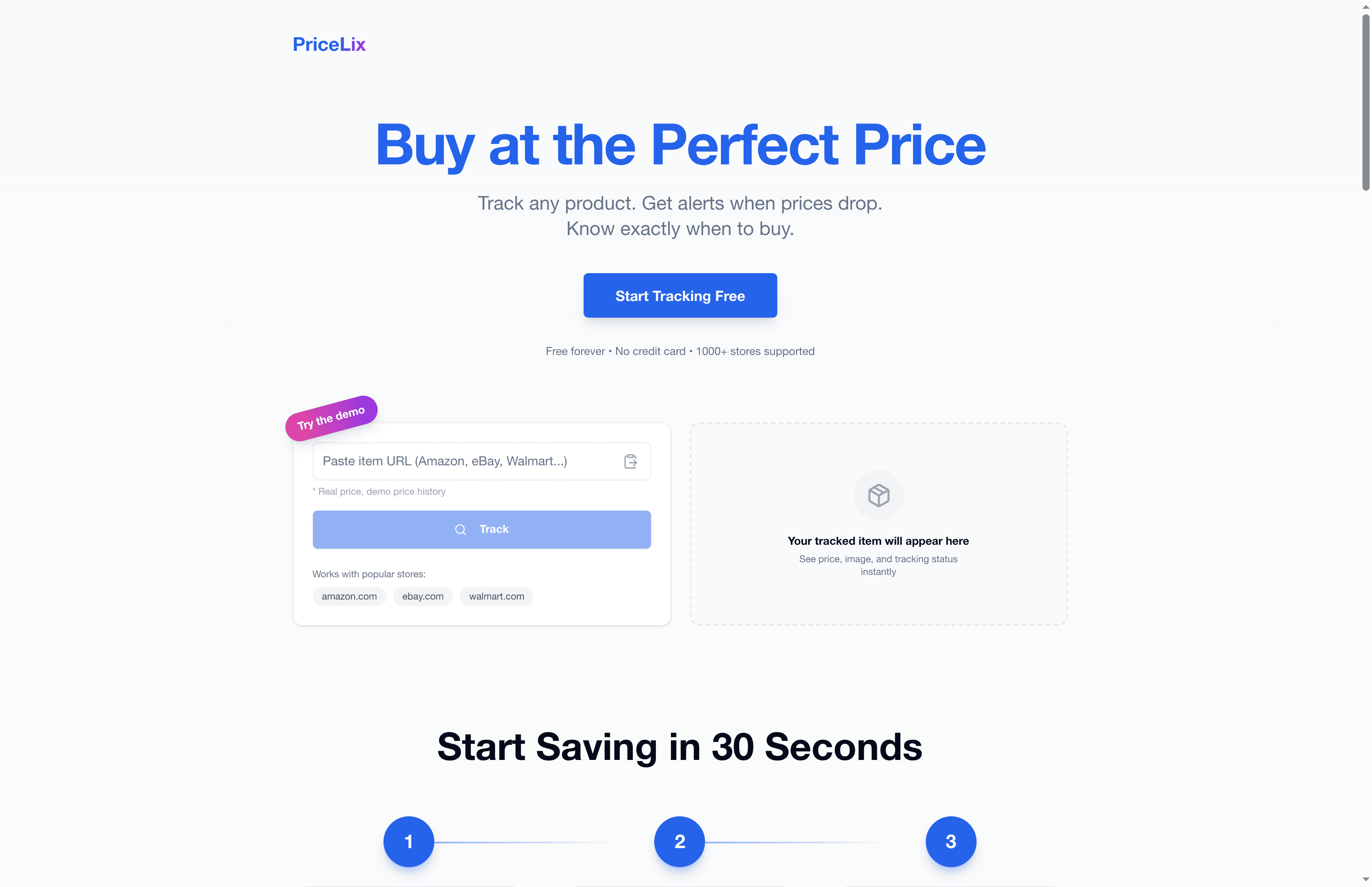
PriceLix makes this easy. No browser extensions required. No complicated setup. Just add the products you want to track, set your target price, and let the platform monitor over a thousand stores on your behalf. PriceLix sends you alerts when prices drop, shows you full price history charts, and keeps all your tracked items in one clean dashboard. Whether you’re hunting for a holiday deal or waiting for the right moment to buy a big-ticket item, PriceLix gives you the information you need to act at exactly the right time. Start your first tracked item today and see what you’ve been missing.
Frequently asked questions
How much money can real-time alerts help me save?
Empirical data shows average savings of $42.78 per purchase using real-time price comparisons, with over $200 in annual recoveries from post-purchase price drops. Consistent use compounds those numbers significantly over time.
Are real-time alerts available for all online retailers?
Most tools cover popular retailers like Amazon, Walmart, and eBay, but coverage has real limits, with niche or smaller stores often missing from tracking databases entirely. Always verify which retailers a tool supports before relying on it.
How can I avoid alert fatigue from too many notifications?
Set custom price thresholds so you only get notified on meaningful drops, and keep your watchlist trimmed to items you’re actively planning to purchase. The 46 to 63 daily notifications average shows how quickly overload happens without proper configuration.
Do real-time alerts compromise my privacy?
Some price alert tools track browsing data and purchase behavior, and retailers use AI to adjust prices based on your patterns. Always review privacy policies and choose reputable providers with transparent data practices.
Which platforms offer the best real-time alert experience?
Honey and CamelCamelCamel perform best for Amazon-specific tracking, while Capital One Shopping is the stronger choice for cross-platform price monitoring across multiple retailers.
Recommended
- Unlock savings with real-time price data alerts | PriceLix
- 7 advantages of monitoring price history online in 2026 | PriceLix
- Discount Alerts Meaning: Smart Savings for Online Shoppers | PriceLix
- Price Alert Benefits: 78% Retailers Use to Save Big in 2025 | PriceLix
- Digital coupons: benefits, risks, and smart savings tips