
Comparison shopping engines: save more every purchase
TL;DR:
- Comparison shopping engines aggregate data from retailers to display prices, reviews, and features in one place.
- Success depends on retailers providing accurate, updated feeds; rankings may be influenced by paid placements.
- Using multiple CSEs, checking seller ratings, and analyzing price trends enhances saving opportunities.
Mobile shopping is changing fast, and most shoppers are leaving real money on the table. Mobile CSE transactions are up 67%, yet many buyers still jump straight to one retailer, pay full price, and never look back. That’s bleeding money without realizing it. Comparison shopping engines (CSEs) are the tools that level the playing field, pulling together prices, reviews, and features from dozens of stores in one place. In this guide, we’ll break down exactly how CSEs work, which platforms are worth your time, and the practical moves that separate casual shoppers from people who consistently score great deals.
Table of Contents
- What are comparison shopping engines and how do they work?
- Inside the engine: How data powers smart shopping
- Popular comparison shopping engines to know
- Maximizing your savings with CSEs: Practical strategies
- The real value (and overlooked limits) of comparison shopping engines
- Ready to unlock smarter shopping?
- Frequently asked questions
Key Takeaways
| Point | Details |
|---|---|
| Compare before you buy | Using CSEs regularly can help you find better deals and avoid overpaying. |
| Data matters most | Accurate, updated info powers smarter recommendations and bigger savings. |
| Use the right tools | Not all CSEs are the same; pick platforms suited to your habits and needs. |
| Maximize mobile benefits | Mobile-optimized CSEs make on-the-go saving and deal alerts even easier. |
What are comparison shopping engines and how do they work?
A comparison shopping engine is a platform that collects product listings from hundreds or thousands of retailers and displays them side by side. Think of it as a search engine built specifically for products. Instead of visiting ten different websites to find the best price on a laptop or a blender, you search once and CSEs do the legwork for you.
So how do they actually pull this off? CSEs aggregate data from multiple retailers to help shoppers compare prices, features, shipping costs, and reviews, all from a single results page. Retailers submit product feeds, which are structured files containing their inventory details. The CSE then processes those feeds, organizes the data, and serves it up when a shopper types in a search.
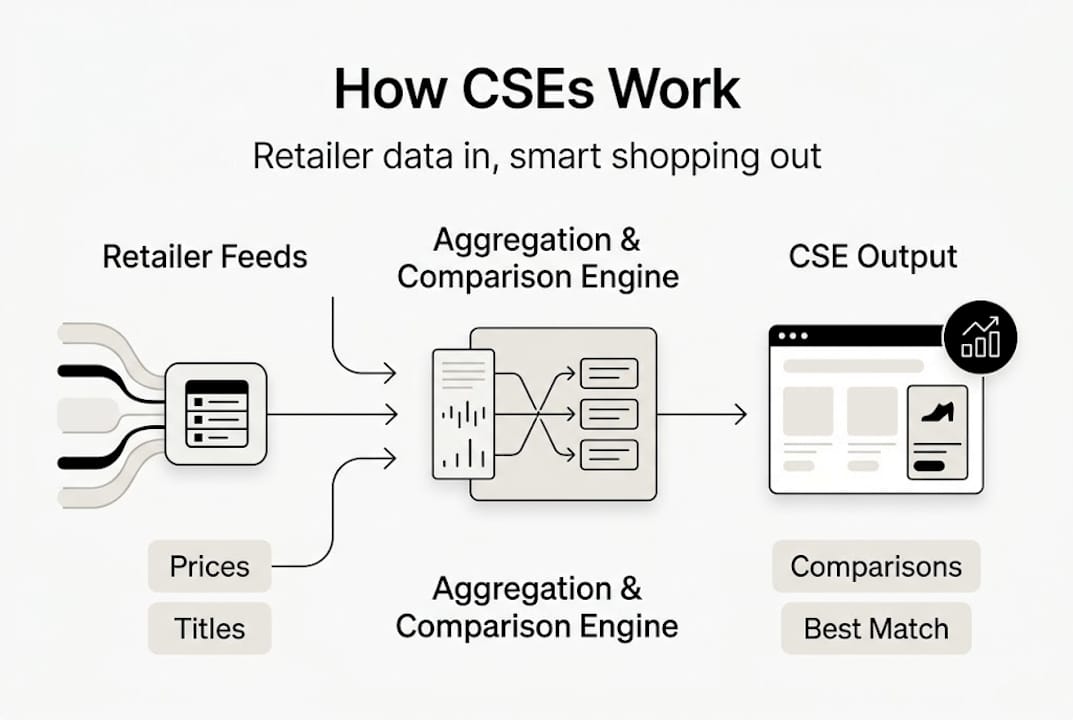
Here’s where CSEs differ from a marketplace like Amazon. On Amazon, you browse and buy within the same platform. Amazon controls the checkout experience. CSEs work differently. CSEs redirect shoppers to the merchant’s site to complete the purchase, rather than handling the transaction themselves. That’s an important distinction. You’re getting a directory of offers, not a storefront.
If you want a deeper look at how CSEs differ from Amazon, it’s worth understanding how each model affects price transparency and competition.
Here’s a quick snapshot of what CSEs typically show you for each product:
- Product price from each retailer
- Shipping cost and estimated delivery time
- Seller reviews and ratings
- Product images and descriptions
- Return policy information
- In-stock availability
CSEs don’t sell anything themselves. They connect you to the best deal and let the retailer close the sale. That separation is what makes them uniquely useful for unbiased price comparison.
Understanding how price comparison works at a structural level helps you use these platforms more effectively and spot when a result might be influenced by factors other than pure price.
Inside the engine: How data powers smart shopping
Now that you know what CSEs are, let’s pull back the curtain on the mechanics that make them tick. At the core of every CSE is a product feed. Retailers send this feed to the CSE, and it contains every detail needed to list and match a product correctly.

CSEs require retailers to submit detailed product feeds, including titles, prices, images, and unique identifiers like GTINs (Global Trade Item Numbers). Here’s what a standard product feed contains:
| Field | What it includes |
|---|---|
| Product title | Clear, searchable name of the item |
| Price | Current selling price including any sales |
| Image URL | High-quality product photo |
| GTIN or MPN | Unique product identifier |
| Category | Product classification for search matching |
| Availability | In stock, out of stock, preorder |
| Shipping info | Cost and estimated delivery window |
| Description | Key features and specifications |
When you search for a product on a CSE, the engine parses these feeds, matches your search terms to relevant products, and ranks the results. Ranking isn’t always purely about price. It’s influenced by data quality, bid amounts from retailers (yes, some CSEs use a pay-per-click model), and relevance scores.
Success on CSEs depends on precise product feeds and ongoing optimization, which means the retailer with the cleanest data often gets better visibility, even if they aren’t always the cheapest.
As a shopper, this matters because not every listing you see is ranked by value alone. Some retailers are paying for placement. Check the best practices for CSE listings to understand how those rankings actually form.
Pro Tip: Look for a “last updated” timestamp on CSE listings. A price refreshed within the past hour is far more reliable than one that hasn’t been updated in days. Stale data means you could click through to find a completely different price at checkout.
This is exactly why automated price checks are so valuable. Instead of manually revisiting pages, you get live data working for you around the clock.
Popular comparison shopping engines to know
Not all CSEs are built the same. Some cover broad categories while others specialize. Here’s a breakdown of the major platforms:
| CSE Platform | Best for | Mobile support | Unique feature |
|---|---|---|---|
| Google Shopping | Everything | Excellent | Largest retailer network |
| Bing Shopping | Tech, electronics | Good | Microsoft Rewards integration |
| PriceGrabber | Home goods, appliances | Good | Deep review aggregation |
| Shopzilla | Clothing, accessories | Strong | Style-focused filters |
| Nextag | General comparison | Moderate | Price history tracking |
Popular CSEs include Google Shopping, Bing Shopping, PriceGrabber, Shopzilla, and Nextag, each with its own strengths depending on what you’re buying and where you’re located.
For shoppers in the EU, there’s an extra layer to understand. Google Shopping uses CSS (Comparison Shopping Service) partners in the EU, which affects how ads are priced and which retailers appear prominently. This means European shoppers might see slightly different results than US shoppers on the same search.
Choosing the right CSE for your needs comes down to a few key criteria:
- Product category coverage: Does the CSE include retailers that carry what you need?
- Data freshness: How often are prices updated?
- Review integration: Does it pull in user ratings from trusted sources?
- Mobile experience: Is it smooth and fast on your phone?
- Price history access: Can you see whether today’s price is actually a good one?
For deal hunters, Google Shopping combined with a dedicated online price comparison tool gives you the widest net. Tech buyers often prefer Bing Shopping for its category depth. If you’re exploring top price comparison apps for mobile, the options are expanding quickly. And if a platform you’ve tried hasn’t worked for you, there are solid alternatives to PricePager worth considering.
Maximizing your savings with CSEs: Practical strategies
Let me hit you with some numbers. CSE traffic drives 12% of retail e-commerce traffic, and shoppers on CSEs are twice as likely to buy. On top of that, 65% of CSE users spend at least 15 minutes comparing before they purchase. That’s not browsing. That’s deliberate, informed shopping. And it pays off.
Here’s how to get the most out of every CSE session:
- Start with a specific search. Vague searches return noisy results. Include the model number, color, or size to get exact matches.
- Sort by total cost, not just price. Always factor in shipping. A $5 cheaper item with $12 shipping is not a deal.
- Check multiple CSEs. No single platform indexes every retailer. Cross-referencing two or three CSEs catches offers the others miss.
- Look at seller ratings. A suspiciously low price from a seller with 2-star reviews is a warning sign, not a bargain.
- Use price history before buying. If the “sale” price is actually the regular price, you’re not saving anything.
- Set alerts for items you’re watching. Most CSEs let you create notifications so you don’t have to check manually.
- Time your purchases around key sales events. Black Friday and back-to-school periods create genuine drops, not manufactured urgency.
Pro Tip: If a CSE shows a price that seems too good to be true, click through immediately and check the retailer’s site directly. CSEs can show cached prices. If the deal is real, great. If not, you’ve saved yourself a frustrating checkout surprise.
For mobile shoppers, the opportunity is growing fast. Mobile CSE transactions are up 67%, which means CSE platforms are investing heavily in their app and mobile web experiences. Features like barcode scanning, voice search, and one-tap price alerts are becoming standard.
For more on putting this all together, explore how to maximize CSE savings and dig into why comparing prices matters more than most shoppers realize. Pairing CSEs with price optimization strategies is where the real edge comes from.
The real value (and overlooked limits) of comparison shopping engines
Here’s a perspective most articles skip: CSEs are powerful, but they’re not neutral. They’re ad-supported systems, which means the results you see are shaped by who’s paying for visibility. The cheapest price isn’t always at the top. That’s just how the business model works.
Savvy shoppers know to scroll past the sponsored placements and look at the full result set. They also know that “cheapest” doesn’t mean “best.” A retailer with a slightly higher price but free returns, faster shipping, and a reliable track record can be the smarter buy. The house always wins when you only look at the number.
Personalization is another double-edged sword. CSEs are increasingly tailoring results based on your location, browsing history, and device. That can surface relevant products faster, but it can also create filter bubbles that hide cheaper options outside your usual patterns.
The future is moving toward AI-powered matching and automated price checks that run continuously in the background. That’s where the real transparency gains are coming from. Not from checking CSEs once in a while, but from setting up systems that track the true price trajectory of products over time.
Ready to unlock smarter shopping?
CSEs give you a great starting point, but they’re only one piece of the puzzle. Knowing that a product costs $89 today is useful. Knowing it was $69 last month and will likely drop again in three weeks is genuinely powerful.
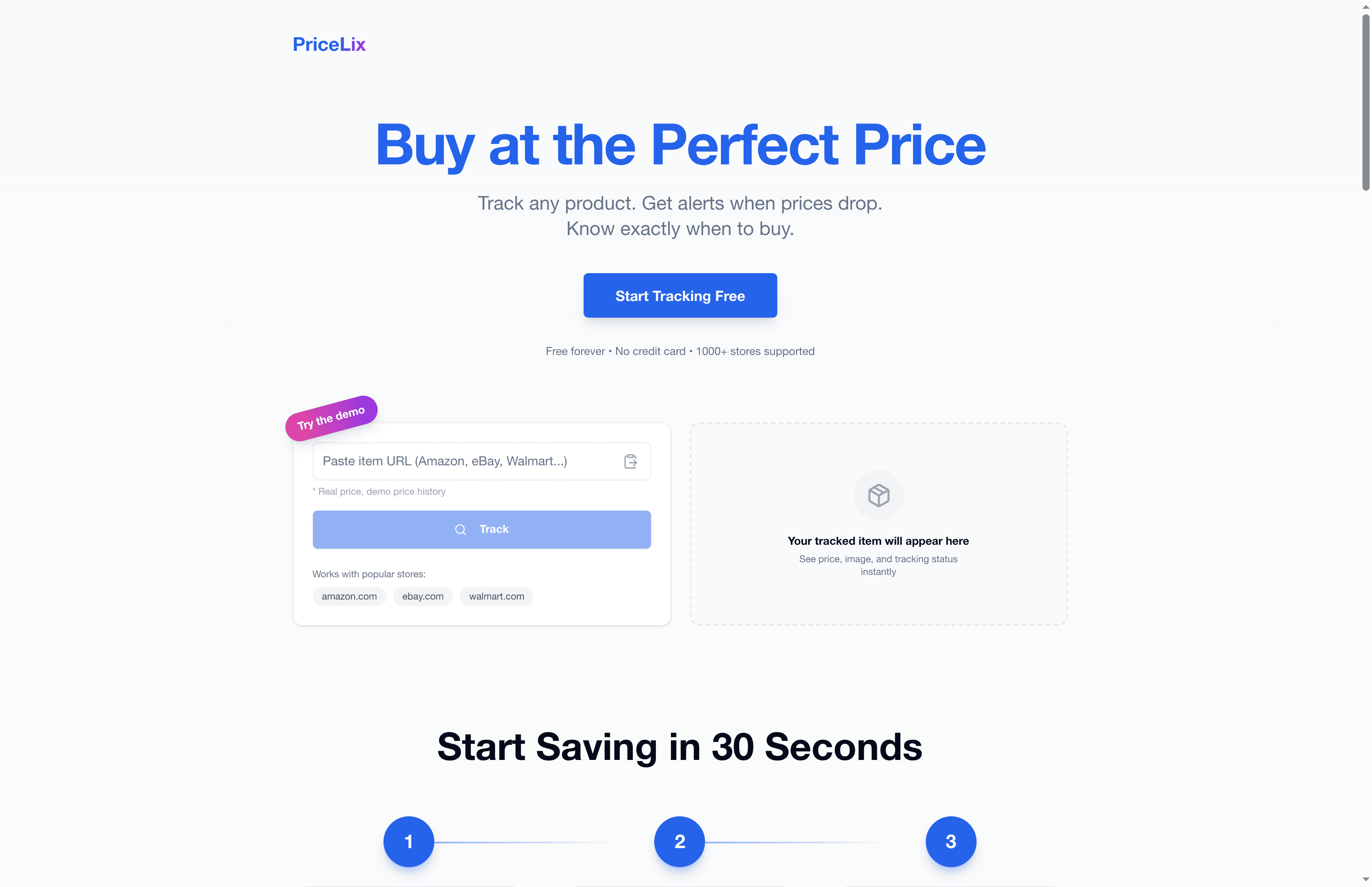
That’s exactly what PriceLix is built for. It tracks prices automatically across Amazon, eBay, Walmart, and over a thousand other stores, sending you real-time alerts when prices drop and showing you detailed price history charts so you always know if a deal is real. No browser extensions required. No manual checking. Just clean, actionable data when you need it. Pair it with the online price comparison tools we covered in this guide and you’ve got a genuinely smart shopping setup.
Frequently asked questions
How do comparison shopping engines differ from marketplaces like Amazon?
CSEs redirect shoppers to the merchant’s site to complete a purchase, while marketplaces like Amazon handle the entire checkout process within their own platform. CSEs are directories, not stores.
Are CSEs always the cheapest way to shop online?
Not always. While CSEs often surface low prices, you need to factor in shipping costs, return policies, and seller reputation to find the best overall deal rather than just the lowest number.
Which CSEs are best for mobile shopping?
Google Shopping, Shopzilla, and PriceGrabber all offer strong mobile experiences, and it’s worth noting that mobile CSE transactions are up 67%, so these platforms are actively improving their mobile features.
How does a CSE get its product information?
Retailers submit detailed product feeds containing product titles, prices, images, and identifiers, which CSEs then process and display for shoppers to compare side by side.